
Proactive Business Advisory: Partnering for Strategic Growth
Transform your business with proactive advisory strategies that drive sustainable growth and competitive advantage for long-term success.
Many business owners think outsourcing accounting is their only option. But setting up internal accounting services with QuickBooks gives you a different path-one that cuts costs and puts financial control directly in your hands.
We at My CPA Advisory and Accounting Partners have seen firsthand how the right setup transforms a company’s financial operations. This guide walks you through every step, from choosing your QuickBooks version to building processes that actually work.
Outsourcing accounting to a traditional firm costs money-often substantial amounts. External accounting firms charge hourly rates ranging from $150 to $400 per hour, depending on complexity and location. For a small business processing monthly transactions, reconciliations, and financial reporting, this easily translates to $2,000 to $5,000 monthly or more. Setting up internal accounting services with QuickBooks shifts this dynamic entirely. You pay a fixed subscription-starting at $19 monthly for QuickBooks Simple Start or scaling up to $120 monthly for more advanced plans-plus staff wages.
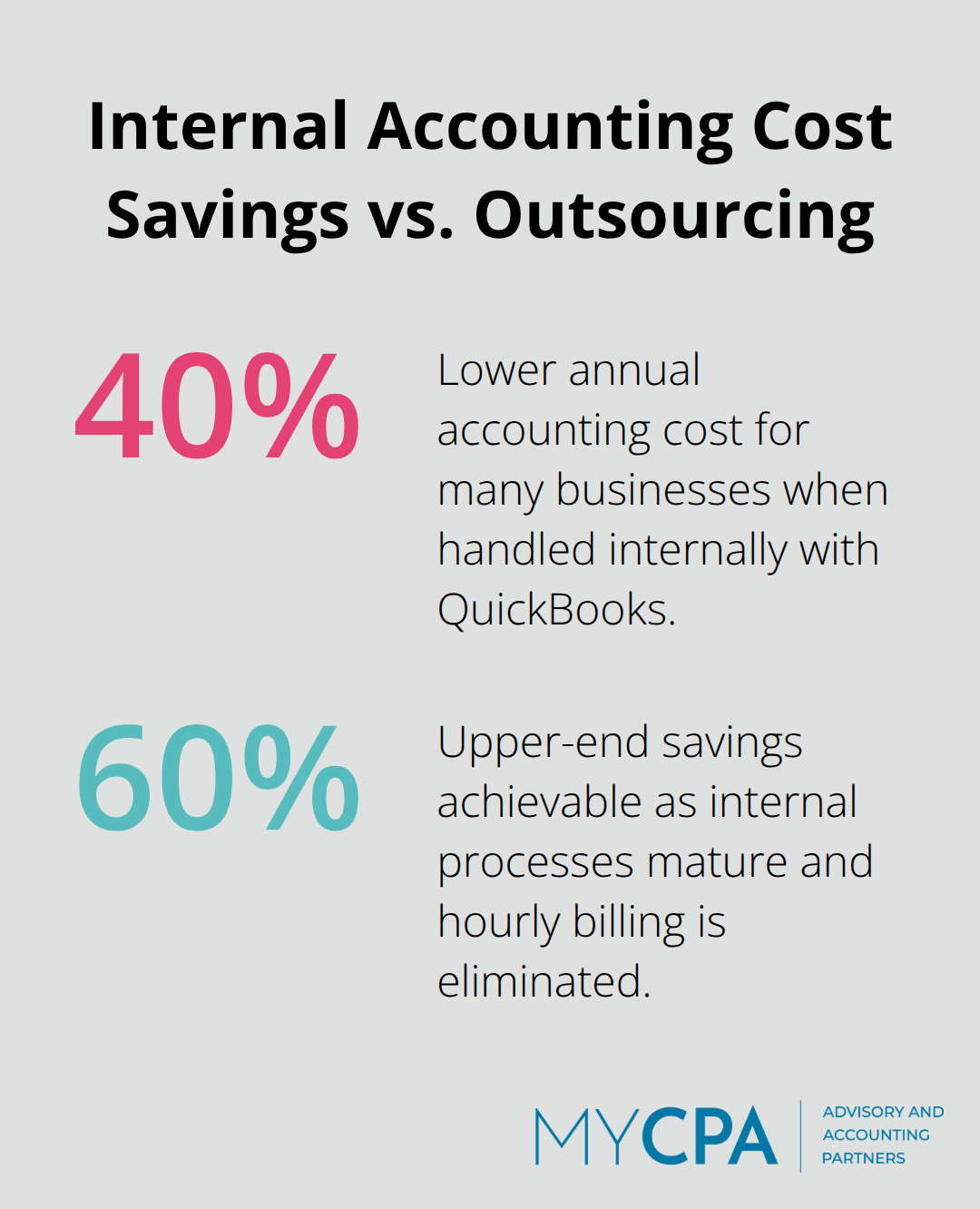
For many businesses, this internal model costs 40 to 60 percent less annually than outsourced alternatives, particularly once your team handles multiple months of work without the per-hour billing structure that external firms impose. The financial advantage compounds over time as your team becomes more efficient with the system and your internal processes mature.
When an external firm manages your books, they hold access to sensitive financial information. You see reports on their schedule, not yours. You depend on their communication timeline for answers about cash flow, tax implications, or spending patterns. An internal accounting team using QuickBooks gives you immediate access to real-time financial data whenever you need it. You can pull profit-and-loss statements at 9 a.m. on a Tuesday to evaluate a business decision happening that week. You can monitor cash flow daily instead of waiting for a monthly report. This control extends to data security-your financial records stay within your organization rather than stored on external servers or shared across multiple client accounts at a third-party firm. QuickBooks Online’s cloud-based structure means your team accesses the same system from anywhere, but the data remains yours entirely. This matters especially for competitive information, detailed customer profitability data, or strategic financial details you prefer to keep confidential.
Businesses that wait until month-end or quarter-end to review financials operate blind for weeks at a time. You might overspend on inventory, miss a cash flow problem, or fail to spot a profitable product line until it’s too late to capitalize on it. With internal accounting and QuickBooks, you shift to real-time visibility. Your team records transactions as they occur, bank feeds automatically sync daily, and dashboards show your current financial position whenever you log in. A business owner can see that accounts receivable jumped 25 percent this month and follow up on collections immediately. A manager can identify that one project runs 30 percent over budget mid-project instead of discovering it after completion. These decisions-cutting costs, accelerating collections, reallocating resources-happen faster when financial data reflects current reality rather than last month’s numbers. QuickBooks’ customizable reports let you build dashboards specific to your business, tracking metrics that actually drive your decisions rather than generic financial statements that sit unread in an inbox.
The shift from external accounting to internal services requires more than software selection. Your team needs clear processes, defined roles, and the right tools to execute consistently. The next section walks you through the specific steps to set up QuickBooks and establish the foundation your accounting team needs to operate effectively from day one.
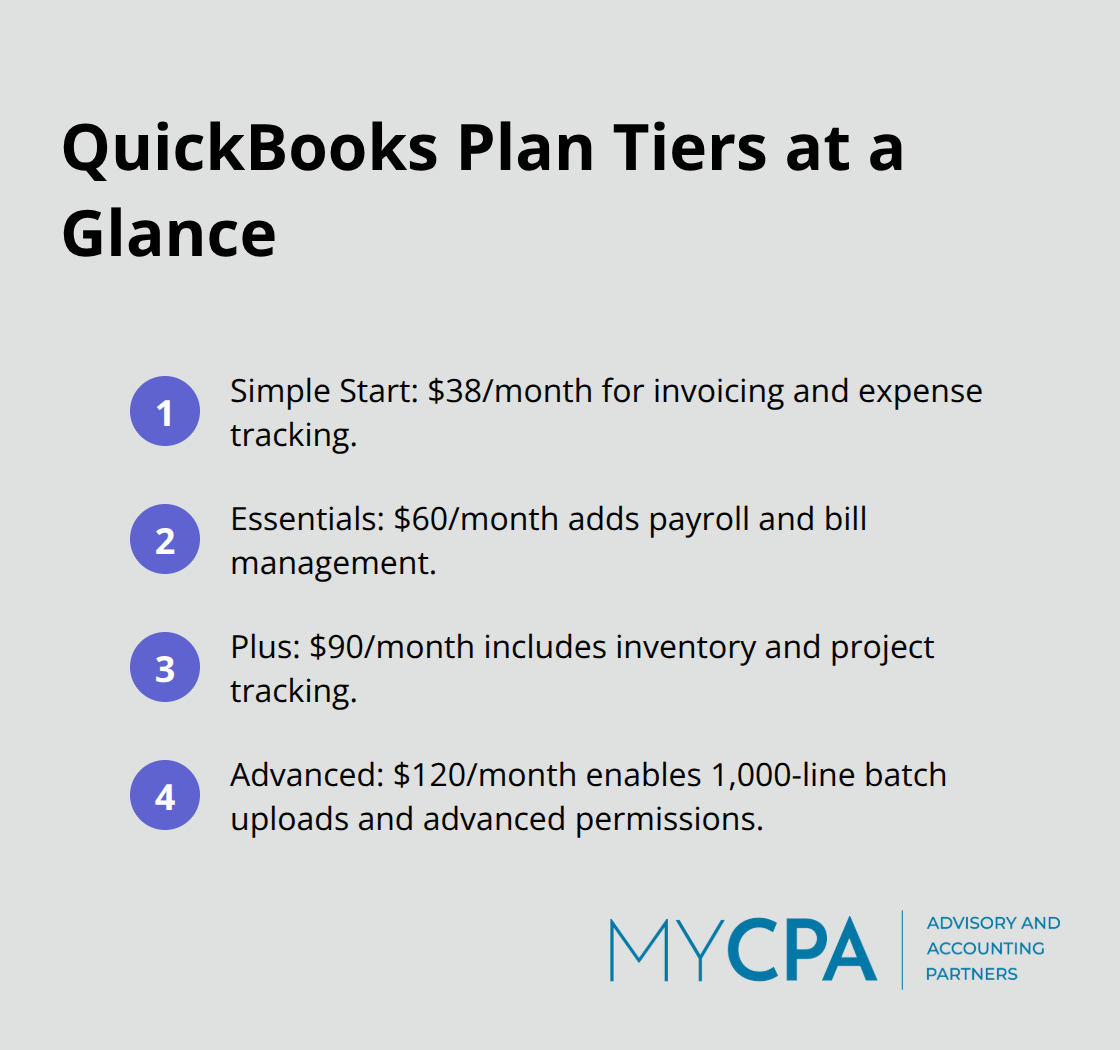
Choosing your QuickBooks plan matters far less than most business owners think. What matters is matching the plan to your actual transaction volume and team size, then configuring it correctly from day one. QuickBooks offers multiple tiers: Simple Start at $38 monthly handles basic invoicing and expense tracking, Essentials at $60 monthly adds payroll and bill management, Plus at $90 monthly introduces inventory and project tracking, and Advanced at $120 monthly unlocks batch uploads for 1,000 invoice lines at once and advanced user permissions. Most businesses make the mistake of starting with Advanced thinking they need all features immediately, then pay for capabilities they never use. Start with Essentials or Plus instead.
These plans cover 95 percent of internal accounting needs without unnecessary cost. You can upgrade later if your business genuinely requires batch processing or advanced inventory features.
The real work happens in configuration, not plan selection. Your chart of accounts sets the foundation for every report and financial decision your team makes going forward. A poorly structured chart of accounts creates months of confusion later. Create separate accounts for each revenue stream, expense category, and balance sheet item relevant to your business. If you operate multiple locations or product lines, use QuickBooks Classes to isolate profitability by location or product rather than creating duplicate accounts. This structure lets you run meaningful reports that actually inform decisions instead of producing generic financial statements nobody reads. Your team should spend two to three hours designing the chart of accounts before entering a single transaction, consulting your tax CPA on account structure to establish tax readiness from the start.
Bank and credit card integration through automatic feeds eliminates the single biggest source of accounting errors: manual data entry. Automatic bank feeds reduce manual transaction entry by approximately 80 percent compared to manual importing. Connect every business bank account and credit card you use to QuickBooks through the feed feature, which syncs transactions daily. This automation doesn’t just save time; it creates a daily reconciliation habit that catches fraud, duplicate transactions, and categorization errors immediately rather than discovering them during month-end close. Your team should review and categorize feed transactions every two to three days, keeping the backlog small and preventing weeks of uncategorized transactions from piling up. Enable automatic categorization if your transaction patterns are straightforward, though manual review of categorizations catches errors that automated rules miss.
Set up separate accounts for owner draws, loan proceeds, and transfers so these non-operating transactions don’t distort your profit-and-loss statements. Most business owners make the mistake of running personal expenses through business accounts, then trying to separate them later; prevent this by establishing a clean business account from the start and leaving personal accounts completely disconnected from QuickBooks. This separation creates clarity in your financial statements and prevents the confusion that arises when personal and business activity mix throughout the year. Your accounting team can then focus on categorizing legitimate business transactions rather than spending hours untangling personal expenses from operating activity.
With your QuickBooks foundation in place, your next step involves defining who does what in your accounting operation and establishing the processes that keep transactions flowing consistently.
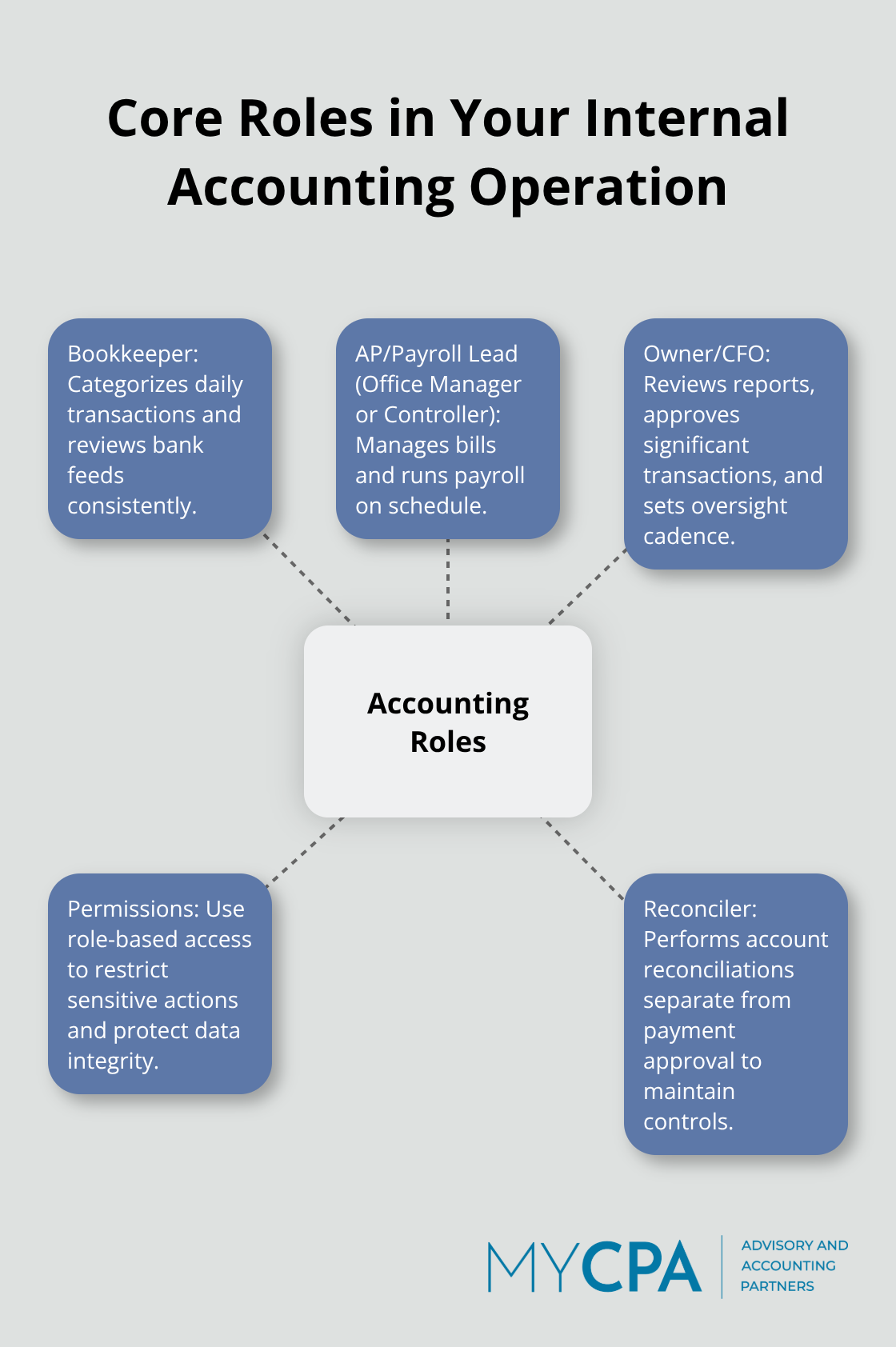
Your QuickBooks system only works as well as the people operating it. The most common failure point occurs when roles remain unclear and everyone assumes someone else handles reconciliation, categorization, or month-end close. This ambiguity creates gaps that turn into financial errors or missed fraud signals. Assign specific people to specific tasks with written documentation of what each role owns. Your bookkeeper handles daily transaction categorization and bank feed review, your office manager or controller oversees accounts payable and payroll processing, and your owner or CFO reviews reports and approves significant transactions. Write this down.
Post it. Reference it during onboarding. The COSO framework internal control standards emphasize that control activities fail when responsibilities are vague.
Separation of duties matters because the person recording transactions should not approve payments, and the person reconciling accounts should not make deposits. This doesn’t require multiple full-time staff; a business with one bookkeeper can still implement controls by having the owner review reconciliations monthly or having an external CPA spot-check transactions quarterly. Define who has access to what in QuickBooks using role-based permissions. Create distinct user accounts for each team member rather than sharing login credentials, assign permissions matching job responsibilities, and restrict sensitive functions like deleting transactions or changing payee names to your most trusted staff. QuickBooks user roles let you lock down screen-level access so an accounts payable clerk cannot view payroll data, and a data entry person cannot modify closed periods. This takes 30 minutes to configure and prevents the majority of accidental errors or intentional fraud.
Your transaction recording process determines whether your financial statements are reliable or misleading. Most businesses fail here by waiting until month-end to catch up on categorization, creating a backlog that gets rushed through without proper review. Instead, establish a daily or every-other-day rhythm where someone spends 30 to 45 minutes reviewing and categorizing transactions from your bank and credit card feeds. This keeps the backlog small, catches categorization errors immediately when memory is fresh, and prevents duplicate transactions from sitting uncaught for weeks.
Automate recurring transactions in QuickBooks: rent payments, loan payments, utility bills, and subscription services should be set up as recurring entries so your team doesn’t manually enter them monthly. This reduces data entry work and eliminates the most common source of missing transactions. Create a standardized chart of accounts template specific to your industry so every transaction gets categorized consistently. If you have multiple locations or product lines, use QuickBooks Classes to track profitability by segment without creating duplicate accounts. Document your categorization standards in a simple reference guide: office supplies go to account 6150, contractor payments go to 6200, and so on. When new team members join, this documentation prevents the chaos of learning categorization rules through trial and error.
Your month-end close should never take more than three to five days if daily processes are solid. Start by reconciling every bank account and credit card to your QuickBooks records, ensuring every transaction matches and no duplicates exist. ACFE occupational fraud reconciliation detection research based on 1,921 real cases across 138 countries shows that strong reconciliation processes are critical to fraud prevention. Review your accounts receivable aging report and follow up on unpaid invoices immediately rather than letting them sit for months.
Post all journal entries needed for accruals, prepaid expenses, or inventory adjustments, then generate your profit-and-loss statement and balance sheet for review. Close the prior month in QuickBooks with a dedicated password that only you or your controller knows, preventing anyone from accidentally or intentionally modifying past transactions. This closing password is the single most effective control against post-close tampering. Create a month-end close checklist and follow it identically each month so nothing gets skipped. Assign someone to own the close process, give them authority to follow up on missing information, and hold them accountable for completion by your target date. Most businesses complete close within five business days of month-end when processes are documented and roles are clear.
Setting up internal accounting services with QuickBooks delivers three concrete advantages that external firms cannot match. You cut accounting costs by 40 to 60 percent annually compared to outsourced alternatives, shifting from hourly billing to fixed software subscriptions and staff wages. You gain immediate access to your financial data whenever you need it, eliminating the lag time that comes with external reporting cycles. Your team spots financial problems and opportunities in real time rather than discovering them weeks after they occur, enabling faster business decisions.
The mistakes most businesses make during setup follow predictable patterns: choosing an overly complex QuickBooks plan before understanding actual needs, failing to design a proper chart of accounts before entering transactions, skipping bank feed integration, leaving roles undefined, and mixing personal and business transactions throughout the year. You avoid these pitfalls by spending two to three hours on upfront configuration, connecting bank feeds immediately, documenting your team’s roles in writing, and establishing a daily transaction review rhythm from day one. These steps take minimal time initially but prevent the chaos that derails most internal accounting operations.
If you lack in-house accounting expertise or need guidance tailoring internal accounting services with QuickBooks to your specific business, My CPA Advisory and Accounting Partners provides setup and management expertise alongside accounting services and business advisory support. Your next step involves implementing the processes outlined in this guide, then monitoring execution for the first 90 days to catch gaps before they become problems. Sustainable financial management starts with solid systems and disciplined execution.








Privacy Policy | Terms & Conditions | Powered by Cajabra